
The Best Measurement-Based Pricing Plugins for WooCommerce Variable Products
What if customers could tell you exactly what size they need?
Imagine this: a customer needs flooring. They know the room’s dimensions. But you don’t want to list every square-foot variation. Or fabric by the meter. Same problem.
Either you make dozens of variations, or you find a better way. What if the product could cost itself, based on what the buyer enters? No guesswork. No overcharging. Clean. Simple.
That’s the magic of measurement-based pricing plugins. They let WooCommerce do the heavy lifting, especially for variable products. Let’s walk through 5 of the best tools out there. Tools that let you sell by length, area, volume, weight—whatever fits your stuff.
5 Best Measurement-Based Pricing Plugins for WooCommerce Variable Products
1. Measurement Price Calculator (by Motif Creatives)
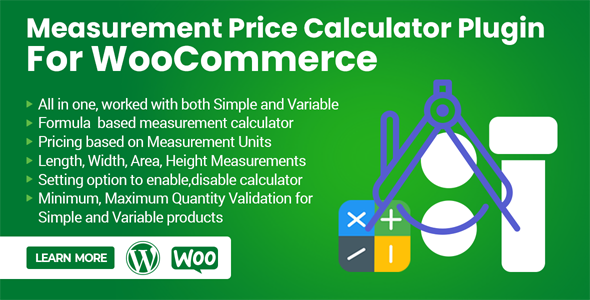
Now this one deserves special attention. Because it combines formula-based pricing with easy handling of variations, and it’s designed for sellers who want both flexibility and range control.
What it does
- Works with simple and variable products.
- Each variation can have its own pricing range table. No limits.
- Supports all measurement units: length, width, area, volume, and weight.
- Dynamic pricing per unit. Customers enter “how much” they need, and the price adjusts.
- Minimum and maximum validation for every variation. Stops weird orders.
- Stock management works per variation.
Pros
- Strong with variable products. Many plugins struggle there.
- Range tables per variation = huge time saver.
- Clear front-end, easy for customers to understand.
Cons
- Newer compared to WooCommerce’s own plugin. Less brand reputation.
- If you need ultra-complex formulas, Uni CPO still wins.
- Styling of range tables may need tweaking for some themes.
2. Measurement Price Calculator (by WooCommerce / SkyVerge)
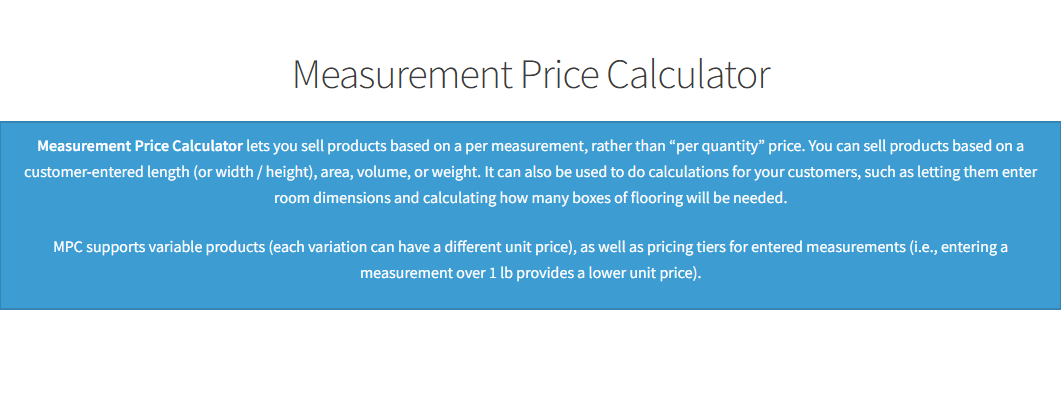
This one often gets recommended first. For good reasons. Reliable. Supported by the WooCommerce folks. It lets you set up calculators for things like square footage, volume, and weight.
What it can do
- You pick the measurement type: area, dimension, volume, or weight.
- Two modes: quantity-based calculator (you sell a known pack or box) or user-defined (customer enters what they need).
- Minimum price rules. If someone enters a very small dimension, you can force a base cost.
- It supports variable products. You can have product variations, each with its own pricing behavior.
- Pricing labels (“$/sq ft”, “per meter”, etc.). Cleaner display so the customer knows what they pay.
Pros
- Well-maintained. Updates. Good support.
- Integrates well. You don’t feel that the plugin is fighting WooCommerce.
- Clear for customers: displays per-unit price, calculator. Fewer surprises.
Cons
- Cost is high. Not cheap. If you have many measured products, the price adds up.
- Learning curve. If you are new to WooCommerce, the setup takes time.
- Some combinations of measurement types + variations can get confusing.
3. Uni CPO – Product Options and Price Calculation Formulas
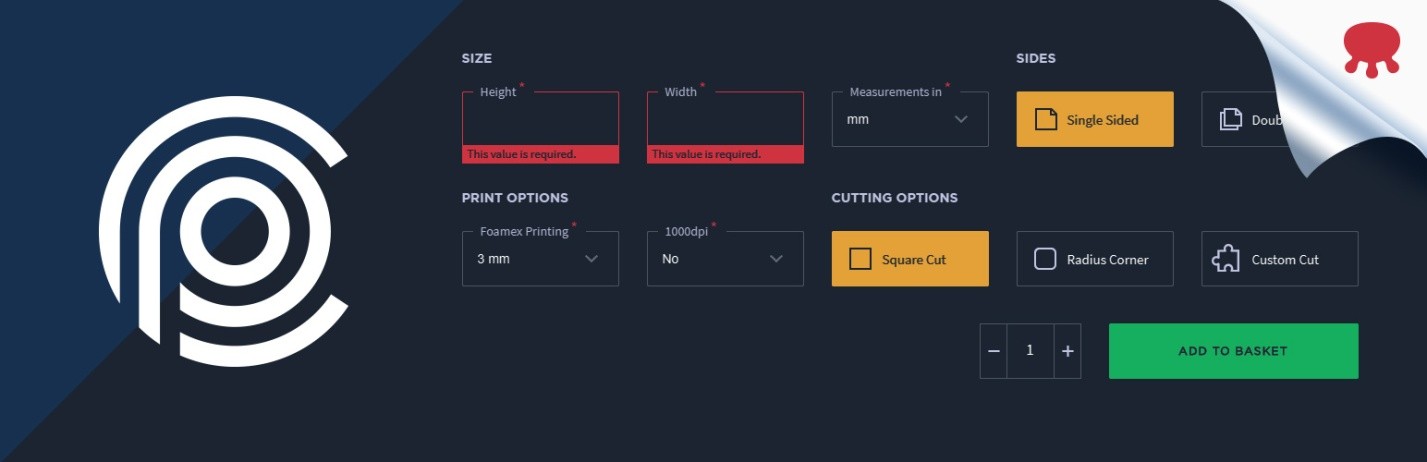
This one is powerful. It might feel overwhelming. But if you want custom, you get custom.
What it can do
A story: I once saw a shop selling pattern printed curtains. They needed width, height, fabric type, and an extra border. All of those affect the price. Uni CPO lets you define those inputs. Then define a formula. Something like “width × height × fabric_price + border_fee.” It shows price changes live as the customer enters data.
Features:
- Visual form builder for custom options. Dropdowns, text boxes, sliders.
- Non-option variables (NOV). Variables that are not tied to a direct option dropdown but are used in a formula. Useful.
- Conditional logic. If “size = custom”, show width & height fields. Else show predefined sizes.
- Math formulas. Any valid expression. Room for creativity. Multiply, add, round, and compare.
Pros
- Flexible. Almost any measurement + options combo is possible.
- Great for shops with many custom products. Signs, banners, custom prints, and furniture.
- The free version gives you many tools; the pro provides even more.
Cons
- It might be overkill if you need simple measurement pricing.
- More options = more settings. Easier to misconfigure.
- Visual form building sometimes clashes with theme styles. Needs some tweaking.
4. Price Calculator for WooCommerce by Addify
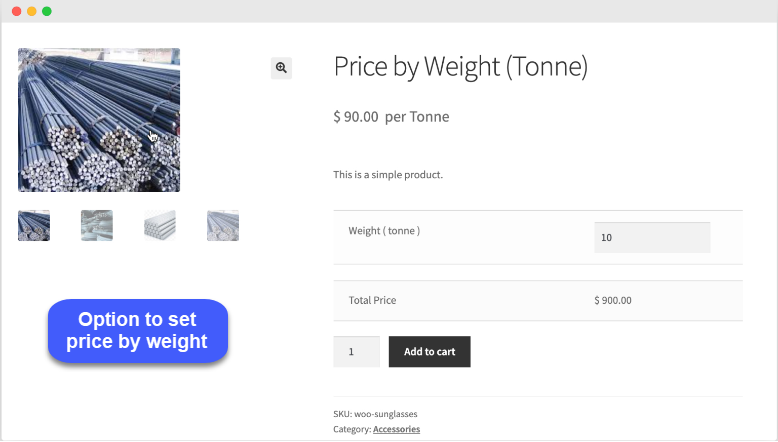
Addify is well-known in the WooCommerce ecosystem. They have an extension called the Measurement-Based Price Calculator. I have solid info on this.
What it can do
- Let customers enter dimensions. Length, width, height. Units like cm, ft, m, etc.
- It works with variable products. Each variation can respond to the measurement input.
- Pricing tables: you can set different rates for size ranges. Bigger size → discount or different per-unit cost.
- Real-time display: price updates as customer inputs numbers. That helps avoid surprises.
Pros
- Fair pricing for the features. Not as expensive as some enterprise tools.
- Good unit support: many measurement types.
- Variations support is good. Manageable.
Cons
- Design sometimes needs CSS tweaks. Real-time feedback might lag slightly if the theme is heavy.
- The interface for setting up the tables can feel manual. If there are many variations + many size ranges, configuration can be tedious.
5. Measurement Price Calculator for WooCommerce (WPDesk)
This is more lightweight. For some, it’s enough. If you don’t need ultra-complex math, this may do. I have exact info for it.
What it can do
- Enables selling by unit, weight, dimension, area, and volume.
- You set the minimum and maximum quantities. Also, step increments. For example, allow 0.25 m steps.
- Works with decimal values. Useful when measurements are fractional.
- Can show dynamic price change based on input.
Pros
- Great for simpler stores. Not many options, but enough for many use-cases.
- Free version is helpful; PRO adds more units and advanced features.
- Less likely to break with theme updates. Because fewer moving parts.
Cons
- If you need pricing formulas, conditional logic, NOV, etc., this plugin might not suffice.
- Design and display options are more limited.
- If there are many different variations + measurement combos, you may hit limitations.
How to Pick the Right One
Let me tell you about a shop in Lahore. They sold tiles and carpets. First, they picked Measurement Price Calculator (WooCommerce). Good. But then realized customers often need custom tile shapes.
Rectangle shape, some odd cuts. Variation + shape input required. That plugin did well, but for complex shape + border + cut cost, they needed more than the base functionality.
They switched to Uni CPO for those special products. But for simpler ones (standard tiles, standard shapes), they kept Addify’s controller plugin because it was cheaper and enough.
From that story, some lessons:
- Don’t buy all the features you don’t need. If you only sell fabric by the meter, you may not need conditional logic, volume, or many units.
- Test the front-end with real users. Give a small group, and see if they understand where to input. If they leave blank or enter the wrong unit, you need better input labels.
- Consider speed. Plugins with heavy scripts can slow product pages. Especially mobile. Some features, like live calculations, add JS load.
- Support & updates matter. Big plugin authors (WooCommerce, Addify, WPDesk) tend to update more, maintain compatibility. Smaller ones may lag.
- Conversion clarity: Show the price per unit clearly. Show range tables. Avoid surprises at checkout.
Which One’s Best for You?
If I were you, sitting in Lahore, trying to sell something like curtains or carpets:
- If you want safe and fewer headaches → go with Measurement Price Calculator by WooCommerce. It’s solid. Clear. Support is good.
- If you need complex borders, variable shapes, cut costs, and user input of width & height & extras → Uni CPO wins.
- If the budget is tight, features are moderate → Addify’s Measurement-Based Price Calculator or Flexible Quantity—enough to do the job without overspending.
Mix a formal approach (setup, rules, test) with casual feedback (ask customers). Always test with the real product. Measure sloppy entries. Decide min and max carefully.
Conclusion
Measurement-based pricing is not just a tool. It’s a mindset. You stop thinking “one size fits all.” You start thinking, “What exactly does this customer need?”
We’ve seen those plugins:
- Measurement Price Calculator (WooCommerce)
- Uni CPO – powerful formula builder
- Addify’s Measurement-Based Price Calculator
- Flexible Quantity – simpler, lighter
Each has its stage. Each fits a kind of store. The trick: match the plugin to your actual needs. Don’t overspend. Don’t under-deliver. Make the price simple for you. Make the price sensible for the customer.
Finally, one more thing: whatever plugin you choose, use the WooCommerce Measurement Price Calculator somewhere in your test. See how it works. Compare how customers react. Measure conversion, like you measure cloth. Adjust.
You’ll get less confusion and more trust. Better sales. That’s what measurement-based pricing brings.
ABOUT THE AUTHOR
